Capture stunning vacation rental photos easily
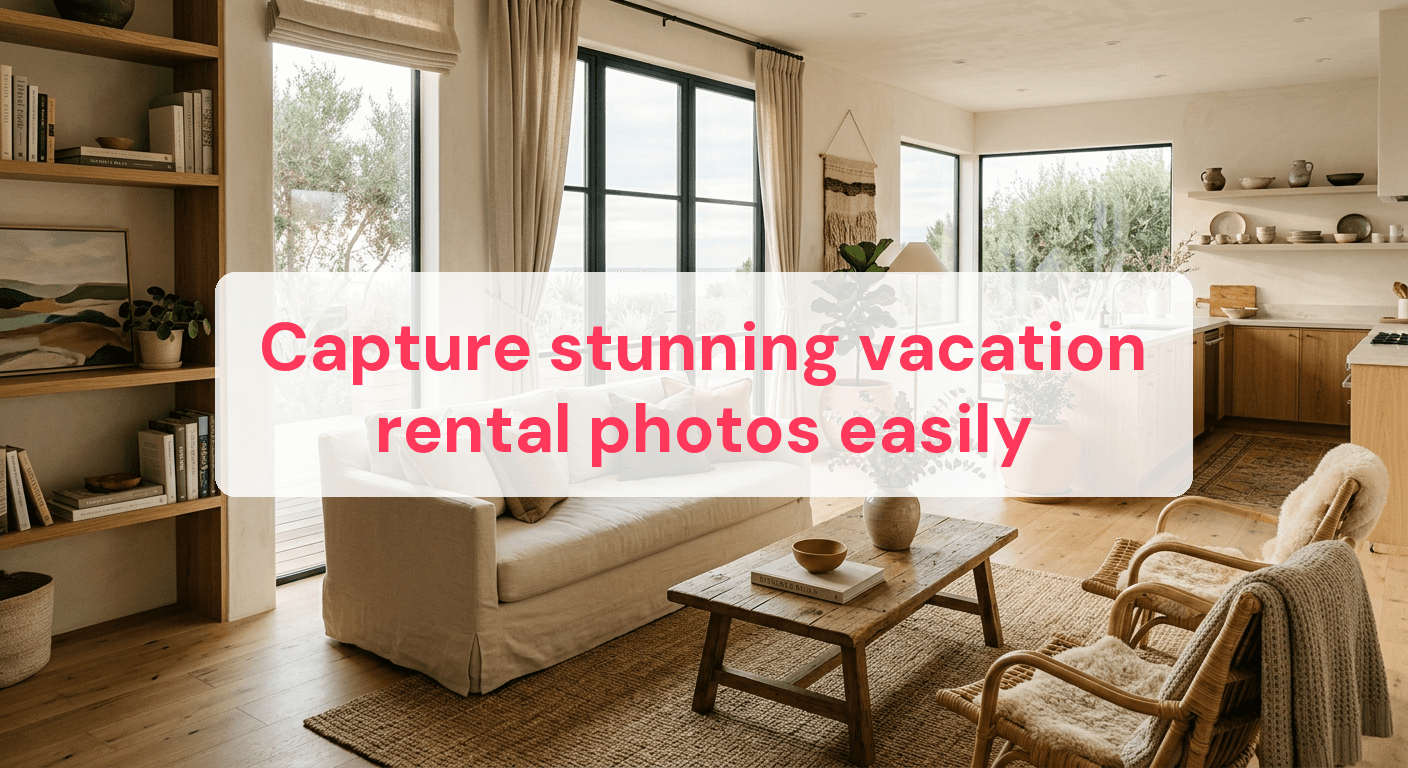
In vacation rentals, listings with high-quality photos get up to 40% more bookings than those with poor visuals. Property owners often scratch their heads, wondering why their well-kept homes don't attract guests despite having all the amenities. In today's digital market, great images aren't just nice to have—they're essential. This guide offers practical steps to capture stunning photos of your rental property. From mastering natural lighting to effective staging, you'll learn how to showcase your property in the best light. By the end, you'll have the skills to transform your listing photos and give your property a competitive edge.
Nail the lighting before you shoot
Getting the perfect shot of your vacation rental starts with mastering natural light. Proper lighting can make the difference between a photo that stands out and one that falls flat. You don't need to be a pro to use natural light to your advantage.
Use Golden Hours Wisely
Shooting during the golden hours—right after sunrise and just before sunset—can produce stunning results. The light is softer and warmer, enhancing colors and reducing harsh contrasts. Plan your shoots around these times to capture your rental in its best light. For indoor shots, open curtains and blinds to let in as much natural light as possible. Position yourself to take advantage of this light, and consider how it falls across the room.
- Morning: Capture bright, airy living spaces.
- Evening: Highlight cozy, inviting bedroom settings.
Steer Clear of Lighting Mistakes
Even with the best intentions, lighting can go wrong. Avoid these pitfalls:
- Harsh Shadows: Midday sun can create intense shadows that obscure details. If unavoidable, diffuse the light with sheer curtains or reposition to avoid direct light.
- Overexposure: Too much light can wash out photos. Adjust your camera settings, like lowering the ISO or using a faster shutter speed, to balance exposure.
- Artificial Light Overuse: Relying too much on artificial lighting can lead to unnatural hues. Balance natural and artificial light for more authentic images.
For more advice, check out our Vacation Rental Lighting Tips. By applying these lighting principles, you'll enhance your property's appeal and attract more guests.
Stage your space like a pro
Turning your rental into an irresistible haven takes more than a quick tidy-up. Staging is an art that lets potential guests imagine themselves in your space. Here are practical steps to elevate your property.
Essential Staging Steps
-
Declutter: Remove personal items and unnecessary decor. A clutter-free environment helps guests focus on the amenities and space itself.
-
Deep Clean: Make sure every nook and cranny is spotless. A clean space suggests a well-maintained property, boosting guest confidence.
-
Rearrange Furniture: Position furniture to maximize space and highlight key features. For example, angle chairs towards a window to draw attention to a view.
-
Add Fresh Elements: Use fresh flowers or plants to breathe life into the room. A simple vase of flowers on a dining table can make the setting more inviting.
-
Set the Scene: Arrange items like books, candles, or a tray of coffee cups to create a lived-in feel. These touches suggest comfort and hospitality.
The Power of Neutral Colors
Neutral tones are your allies in creating a welcoming ambiance. Light grays, beiges, and whites can make rooms feel larger and more open, appealing to a broader range of guests. Use these colors for walls and large furnishings. Add personality with smaller accents like cushions or artwork. This approach maintains a clean slate while allowing a splash of character.
By focusing on these staging techniques, you can craft a space that is visually appealing, warm, and inviting, encouraging guests to imagine themselves enjoying their stay. For more advice on enhancing your rental's appeal, explore our Photography Tips Rental Properties.

Choose the best angles for your shots
Finding the right angle can transform a photo from flat to fabulous, making your rental stand out. The right perspective captures the room's full potential, highlighting its best features and maximizing its appeal. Here's how to get the perfect angles.
Shoot from the Corners
Shooting from the corners of a room is a tried-and-true method to capture more space in a single shot. This technique shows the entire layout and flow of the room, giving potential guests a better understanding of the space. When you position yourself in a corner, aim to include two walls in the frame. This creates depth and dimension, making the room appear larger and more inviting. Remember, eye-level shots often work best to maintain a natural perspective. For more on composition techniques, check out our Vacation Rental Photography Tips.
Common Angle Mistakes
Avoiding certain angle mistakes can significantly improve your photos. Here are a few common pitfalls:
- Awkward Heights: Shooting from too high or too low can distort the room's proportions. Aim for a consistent height, around 5 feet, to keep the perspective natural.
- Cut-off Furniture: Ensure key pieces of furniture are fully visible in the frame. This gives viewers a complete picture and avoids the impression of a cramped space.
- Ignoring Focal Points: Every room usually has a focal point, be it a fireplace, a large window, or an elegant piece of furniture. Capture these elements prominently to draw viewers' attention.
By focusing on these techniques, you can effectively highlight your space's strengths and create an inviting atmosphere that encourages bookings.
Enhance photos with basic editing
Mastering photo editing can significantly elevate the quality of your vacation rental images. Effective editing will help you showcase your property in the best light, literally and figuratively.
Adjust Brightness and Contrast for Clarity
Start by adjusting brightness and contrast. These tweaks can make a world of difference. Brightness adjustments ensure your photos are well-lit, bringing out details in darker areas without washing out lighter parts. Contrast enhances the difference between light and dark areas, making your images pop.
For example, if your photo looks dull, increasing the contrast can add depth and make colors more vibrant. Aim for a natural look that reflects what the eye would see in person. Experiment with small adjustments—often a change of just 10-15% is enough for a balanced look.
Recommended Editing Software
Choose editing software that's user-friendly and functional. Here are some great options:
- Adobe Lightroom: Offers intuitive controls for brightness and contrast adjustments. Perfect for both beginners and advanced users.
- Snapseed: A free app with powerful editing tools, ideal for on-the-go edits.
- GIMP: A free, open-source option with a wide array of editing features.
- Canva: Offers simple editing capabilities and is great for quick adjustments.
Avoid Over-Editing Pitfalls
While it's tempting to keep tweaking your photos, over-editing can lead to images that look unnatural. Here are some pitfalls to avoid:
- Over-Saturation: Boosting colors too much can make them look unrealistic. Keep hues close to their natural state.
- Excessive Sharpening: While sharpening can make details crisper, too much can introduce noise and artifacts.
- Heavy Vignetting: Darkening the corners can draw focus to the center, but overdoing it can make your photos look dated.
By keeping these tips in mind, you can enhance your photos to attract more guests while maintaining a true representation of your space.
Use the right equipment for better results
Investing in the right photography equipment can significantly enhance the quality of your vacation rental images. High-quality photos can result in more clicks and potential bookings. Here are key pieces of gear to consider:
- Camera: While smartphones have advanced, a DSLR or mirrorless camera offers superior image quality. Look for one with a megapixel count of at least 20 to ensure clear, detailed images.
- Tripod: A tripod is essential for sharp photos, especially in low-light conditions. It helps maintain consistency in framing and allows for longer exposure times without motion blur.
- Wide-Angle Lens: If you're using a DSLR or mirrorless camera, a wide-angle lens can help capture more of the room in a single shot. Aim for a focal length of 16-24mm for optimal results.
For more guidance on equipment, check out Airbnb Photography Equipment Essentials.
Smartphone photography tips
Not everyone has access to professional gear, but you can still take stunning photos with your smartphone. Here are some tips:
- Use HDR Mode: Most smartphones have an HDR mode, which balances light and dark areas in your photos for even exposure.
- Stabilize Your Phone: Without a tripod, achieving stable shots can be tricky. Use a mini-tripod or lean your phone against a stable surface.
- Edit Smartly: Use apps like Snapseed or Lightroom Mobile to enhance your images. Adjust brightness and contrast to bring out the best features of your space.
- Clean Your Lens: A simple but often overlooked step. A clean lens can noticeably improve image clarity.
By using the right equipment and techniques, you can produce images that attract attention and accurately represent the charm of your rental space.
When it comes to enhancing your vacation rental photos, choosing the right photo editing app can make a significant difference. Whether you're looking for simplicity or advanced features, there's an option that fits your needs and budget. Here's a comparison of some popular photo editing apps to help you decide which one is best for you.
| App Name | User-Friendliness | Key Features | Cost |
|---|---|---|---|
| Snapseed | Easy | Selective adjustments, Healing tool | Free |
| Lightroom | Moderate | Advanced brushes, Presets | $9.99/month |
| VSCO | Easy | Filters, Basic editing tools | Free/$19.99/year |
| Adobe Photoshop Express | Easy | Collage maker, Quick fixes | Free/$4.99/month |
| Afterlight | Moderate | Text overlay, Dust & light leaks | $2.99 |
For more tips on using these tools, you might find Vrbo Photography Essentials helpful.
Answer common photography questions
Do I need a wide-angle lens for this?
A wide-angle lens is great for capturing entire rooms, especially in smaller spaces. It shows more of the room in one shot, giving potential renters a better sense of the space. However, watch out for distortion at the edges, which can make the room look unnatural if not corrected in post-processing.
How can I make small spaces look bigger?
To make small spaces appear larger, shoot from a corner or doorway to capture more space in your frame. Use natural light by opening curtains and blinds, adding depth and dimension to the room. Keeping the space clutter-free and using mirrors can also create an illusion of a larger area.
What should I avoid when photographing rentals?
Avoid shooting in low light, which can lead to grainy, unappealing photos. Steer clear of clutter in your shots, as it makes spaces appear smaller and less inviting. Over-editing your photos can result in unrealistic images, disappointing guests who find the space different from what they expected.
Is it better to shoot in landscape or portrait orientation?
For most room shots, landscape orientation is preferable as it captures more space and aligns well with how listings are typically displayed online. Portrait orientation can be useful for capturing vertical elements like tall windows or architectural features, but it's generally best as a complementary shot rather than the main image.
Focusing on lighting, staging, and editing can dramatically improve your rental photos. By using natural light and arranging the space to highlight its best features, you'll create inviting images that truly represent your property. Enhance your photos with basic editing tools to ensure they look polished and professional. Apply these strategies to make your listings stand out and capture the attention of potential guests.
Ready to have professional photos?
Our team transforms your existing rental photos into stunning, high-converting images that bring you more bookings. No photoshoot required. 100% refund guaranteed.
Improve My Photos →